Amount settings
Overview
The Amount Settings section allows Evergiving Admin Ops users to configure the donation amounts presented to donors across all active campaigns. Settings are defined per campaign and per donation frequency, giving full control over what donors see at the point of sign-up.
Permissions required. Access to Amount Settings is restricted to Evergiving Admin Ops users with edit permissions for the Campaigns section. Contact your system administrator if you do not see this option. The Evergiving support team cannot edit your users' permissions.
Accessing amount settings
Navigate to Campaigns in the left-hand menu, then select Amount Settings from the sub-navigation. The page displays all active campaigns in a table. Use the frequency tabs at the top of the table to switch between donation frequencies.
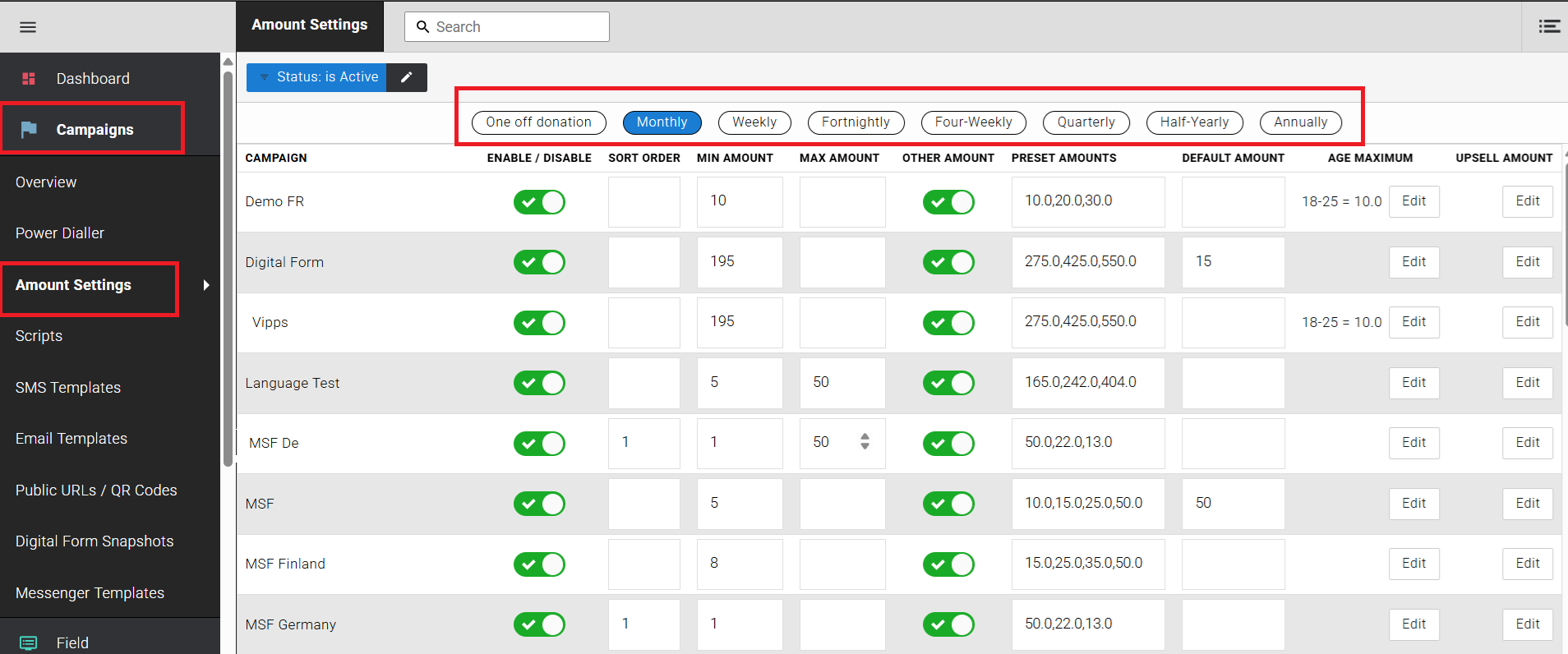
Figure 1 — Amount Settings screen, Monthly frequency selected.
Donation frequency tabs
The following frequency options are available across the top of the amount settings table. Each tab displays a separate set of configuration values specific to that frequency. Changes made under one frequency tab do not affect other frequencies.
- One-off donation
- Monthly
- Weekly
- Fortnightly
- Four-weekly
- Quarterly
- Half-yearly
- Annually
Field reference
Each campaign row displays the following configurable fields for the selected frequency.
| Field | Description |
|---|---|
| Enable / Disable | Toggles this frequency on or off for the campaign. When disabled, the frequency tab will not be presented to donors during sign-up. |
| Sort order | Determines the display order of this frequency relative to other frequencies within the campaign. Lower numbers appear first. |
| Min amount | The minimum donation amount a donor can enter for this frequency. Any value entered below this threshold will be rejected at the point of sign-up. |
| Max amount | The maximum donation amount a donor can enter for this frequency. Submissions above this value will be rejected. Leave blank to impose no upper limit. |
| Other amount | When enabled, allows donors to enter a custom donation amount outside of the preset options. The custom value must still fall within the Min and Max amount range. |
| Preset amounts | A comma-separated list of amounts displayed as selectable options on the donation form (e.g. 10.0,20.0,30.0). The order in which amounts are listed here determines the order in which they appear on the pledge form. Enter amounts in the exact sequence you want donors to see them. |
| Default amount | The amount pre-selected when the donor lands on the form. Must match one of the preset amounts or fall within the Min / Max range. Leave blank to display no pre-selection. |
| Age maximum | Allows a specific donation amount to be capped based on the donor's age band (e.g. 18–25 = 10.0). This is typically used where regulatory or programme rules restrict the maximum commitment for younger donors. |
| Upsell amount | The amount presented to the donor as an upgrade suggestion at the point of sign-up or during a retention interaction. For example, if a donor selects £20 per month, an upsell amount of £25 may be offered as an alternative. Click Edit in the Upsell Amount column to configure the suggested value for each preset amount. |
Preset amount display order
The order in which amounts appear on the digital donation form mirrors the order they are entered in the Preset Amounts field. To change the order donors see the amounts, edit the preset amounts string and rearrange the values accordingly.
| Preset amounts field value | Order shown on pledge form |
|---|---|
| 10.0,20.0,30.0,50.0 | £10 → £20 → £30 → £50 |
| 50.0,30.0,10.0,20.0 | £50 → £30 → £10 → £20 |
Saving changes
Changes are saved automatically when you click out of an edited field — no save button is required. Once the update is applied, a confirmation pop-up appears in the bottom-left corner of the screen displaying Amount preset updated.
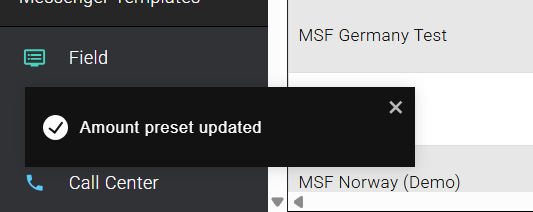
Figure 2 — Confirmation pop-up displayed after a successful update.