Agents & Roles
The Call Center has two user roles, each with different levels of access:
- Admin Agents — can manage teams, call lists, and configurations, as well as make and receive calls.
- Agents — can make and receive calls and view their own performance data, but cannot manage teams or configurations.
The table below shows the full breakdown of permissions:
| Permission | Admin Agent | Agent |
|---|---|---|
| Manage teams and call lists | ✅ Yes | ❌ No |
| Configure inbound calls | ✅ Yes | ❌ No |
| Create teams | ✅ Yes | ❌ No |
| View and edit team-wide performance data | ✅ Yes | ❌ No |
| View, create and edit call lists | ✅ Yes | ❌ No |
| Make outbound calls | ✅ Yes | ✅ Yes |
| Receive inbound calls | ✅ Yes | ✅ Yes |
| Access assigned call lists | ✅ Yes (with editing) | ✅ Yes (view-only) |
| View personal call performance metrics | ✅ Yes | ✅ Yes |
| Listen to live calls and recordings | ✅ Yes | ❌ No |
View and Add Agents
Viewing, adding, and editing agents happens at Call Center > Agents.
Agents must be assigned to a Call Center Team before they can begin making or receiving calls.
Checking an Agent's Role
Admin Agents have a badge in the Admin column of the Agent Overview page:
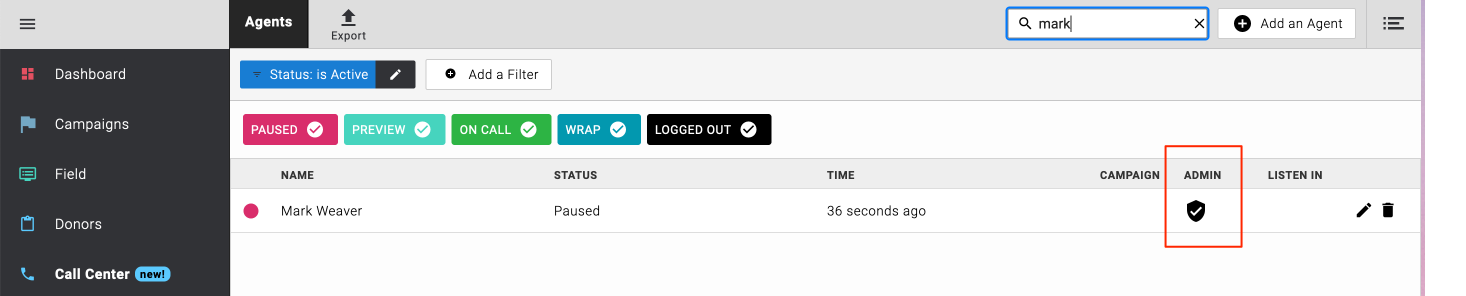
The Admin badge distinguishes Admin Agents from standard Agents in the list view.
Agent View
Standard Agents see a simplified interface with fewer options:
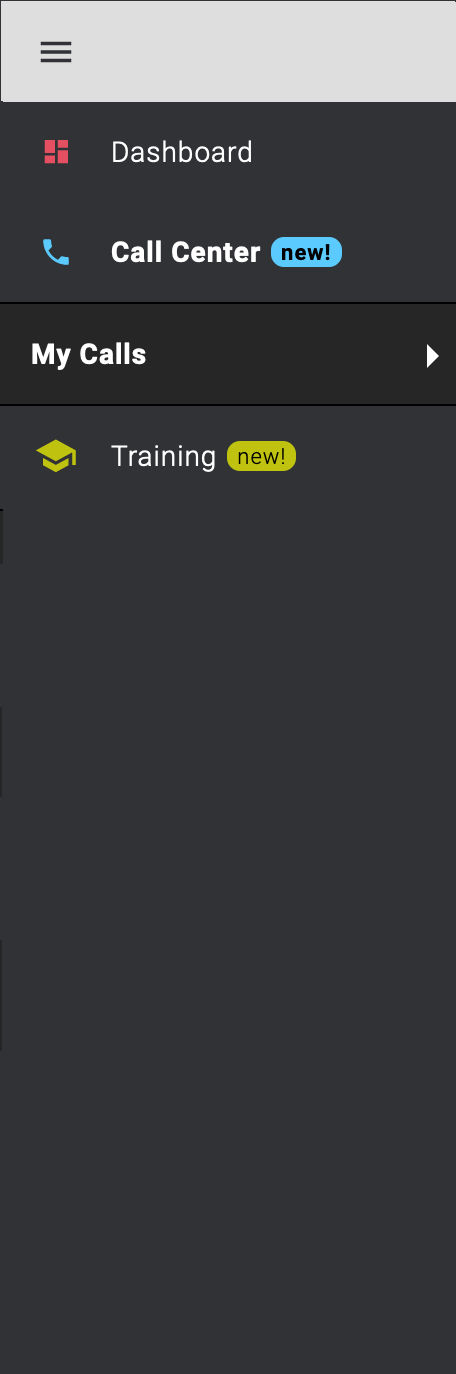
The standard Agent interface, showing only the controls available to that role.
Admin Agent View
Admin Agents see the full interface, including team management and configuration options:
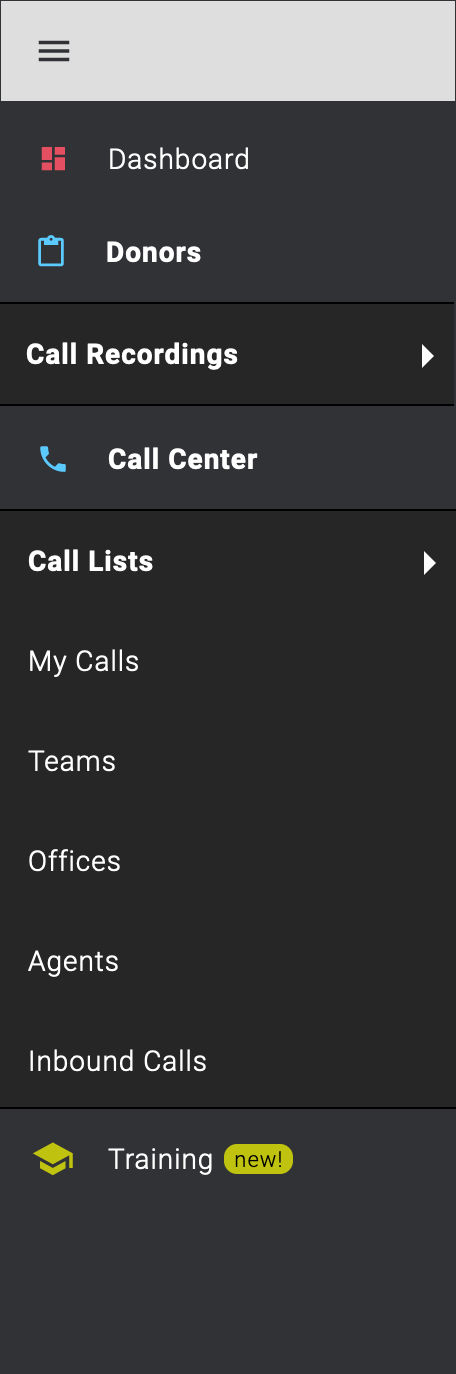
The Admin Agent interface, showing the additional management options available to this role.